
Free · Runs in your browser · No sign-up
Lottie Editor
Upload, edit, and customize your Lottie animations. Adjust layer timing, edit keyframes, modify colors, and export changes instantly.
Upload a Lottie file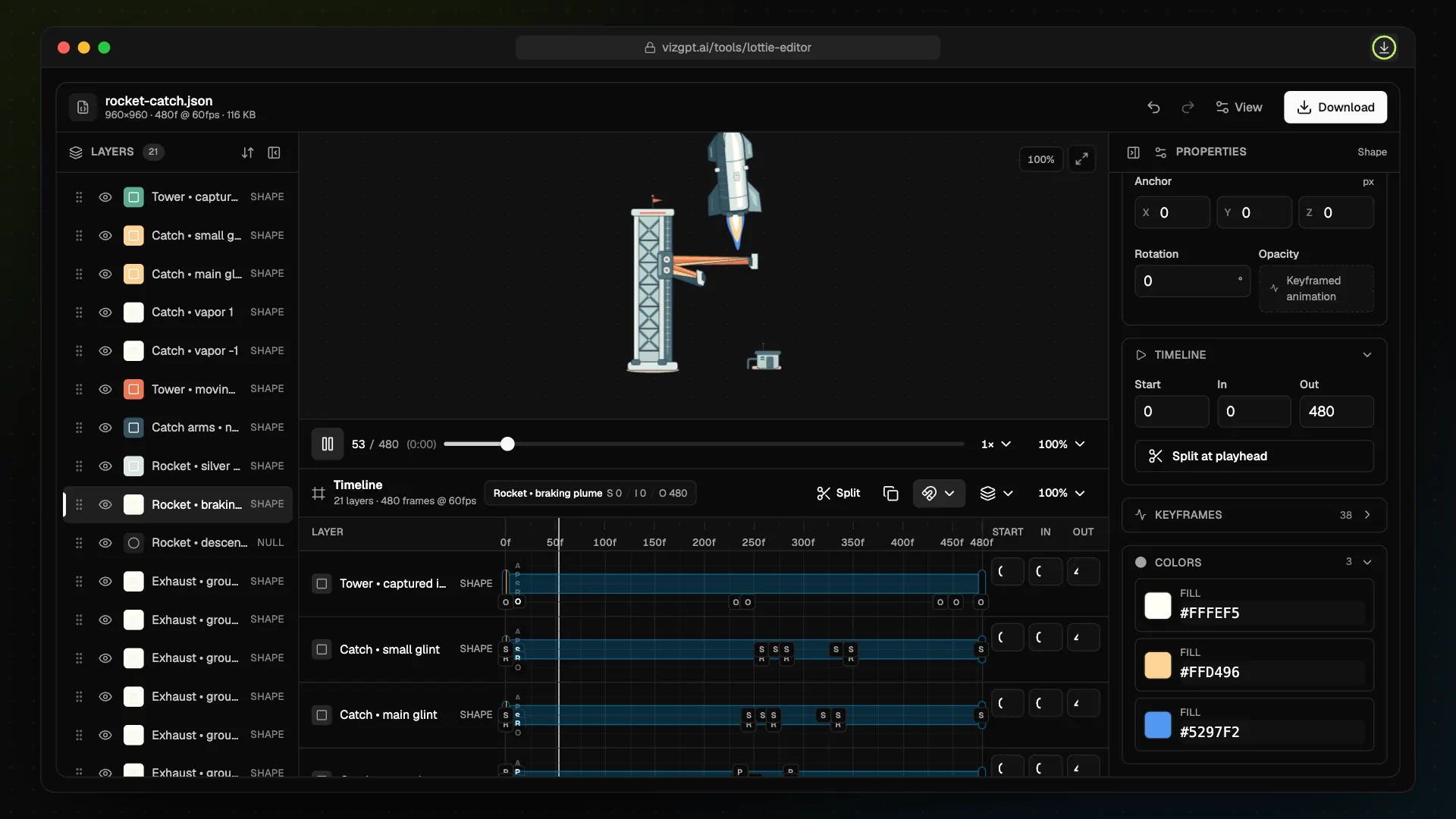
Powered by SDK from Lottie Studio.
Timeline Layers
View each animation layer across the timeline with in, out, and start frame controls.
Keyframe Editing
Inspect transform keyframes and adjust their frame timing and values.
Export Ready
Download your edited animation as a JSON file for production use.
How to Use the Lottie Editor
- 1Upload your Lottie JSON or .lottie file
- 2Browse animation layers in the left panel
- 3Use the timeline to inspect layer timing and keyframes
- 4Select a layer to edit timing, transform, keyframe, and color properties
- 5Trim layers or adjust keyframe frames and values
- 6Toggle layer visibility
- 7Preview changes in real time
Frequently Asked Questions
What file formats are supported?
Both .json (Lottie JSON) and .lottie formats are supported.
Can I edit all properties?
Current focus is timeline timing, transform keyframes, colors, and layer visibility controls.
Is my data secure?
Yes. Processing happens locally in your browser.
Will edited animations stay compatible?
Yes, exported files stay compatible with standard Lottie players.
No Lottie file yet? Describe one
Type the motion you want. The AI generator builds the Lottie and opens it in this same editor, ready to refine.
Found This Tool Helpful?
Share it with others in one click.